



Deposition Designation Reports
Updated October 17, 2026
OnCue has three kinds of reports: Designation List, Transcript, and Objection (see Designation Objection Reports). Transcript reports come in two formats: Standard and Condensed (four pages per sheet).
Designation List Reports
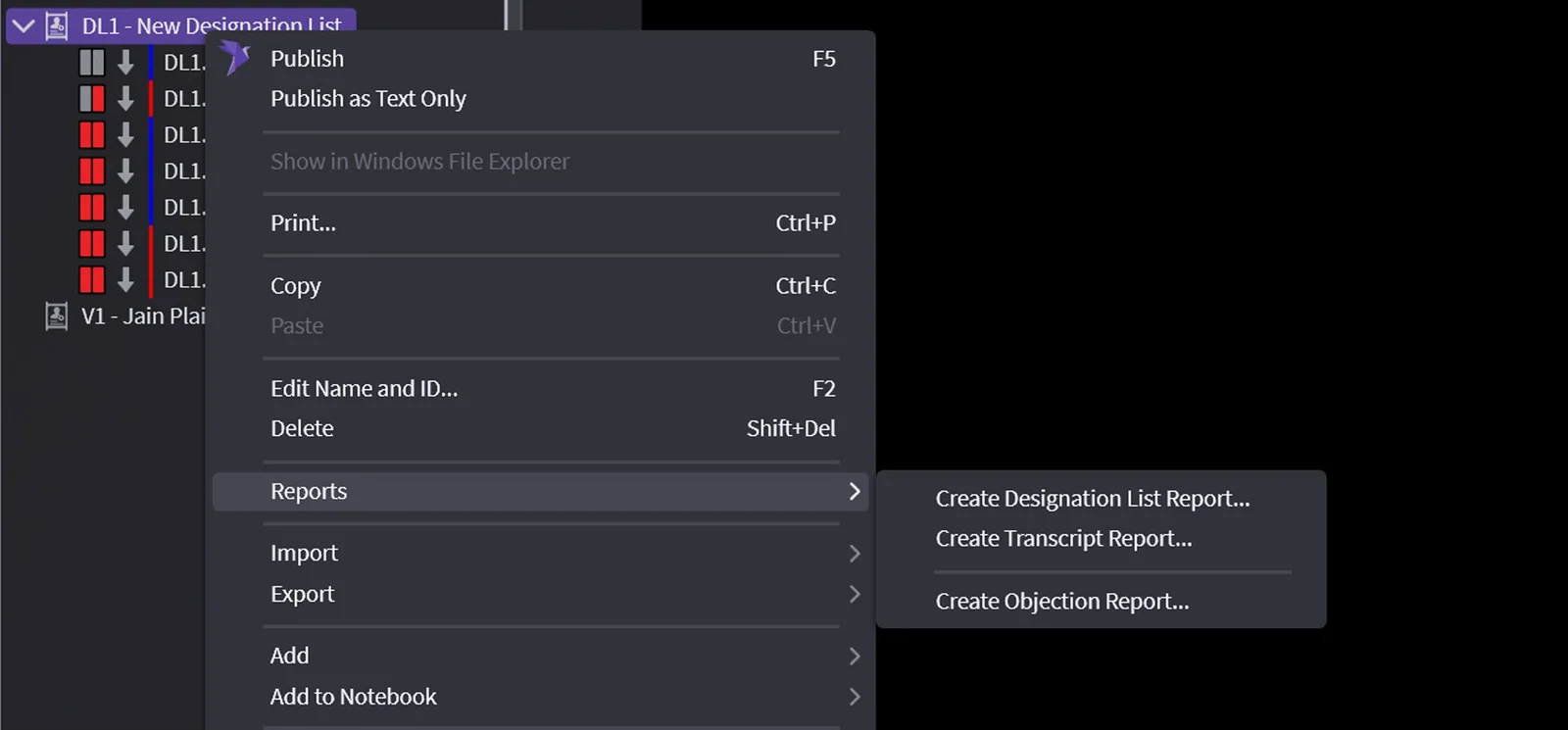
Right-click on a Designation List and select Reports.
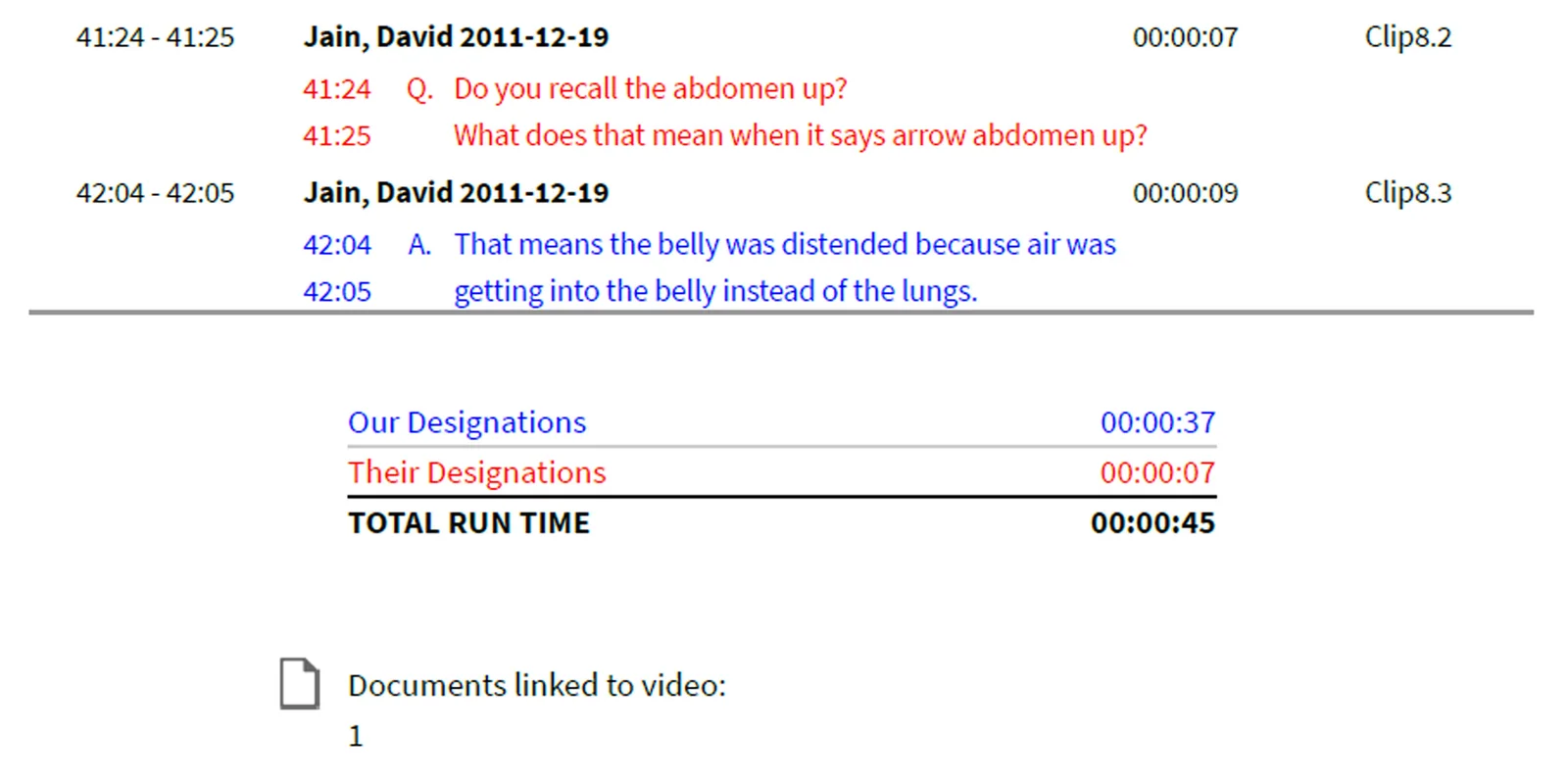
Designation List Reports show only the designated portions of the transcript, including text and time totals. Designated text is highlighted in its highlighter color.
Transcript Reports
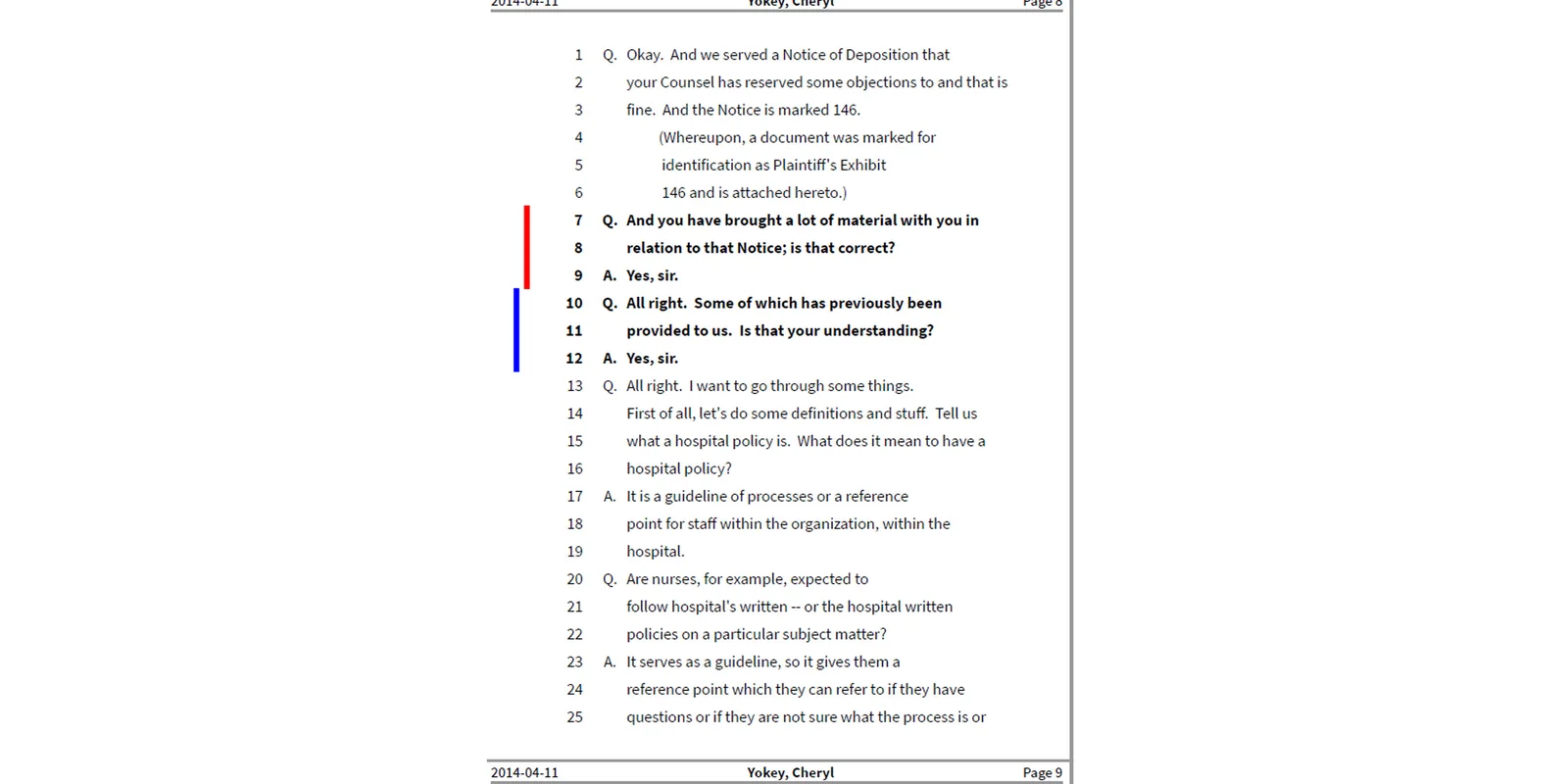
Transcript Reports show the full transcript, but they have vertical color-coded bars beside the designations in the selected list. There is also an option to highlight the text of the transcript in the appropriate color, although only one color can be on the text at a time.
The colored bars also show where designations overlap.
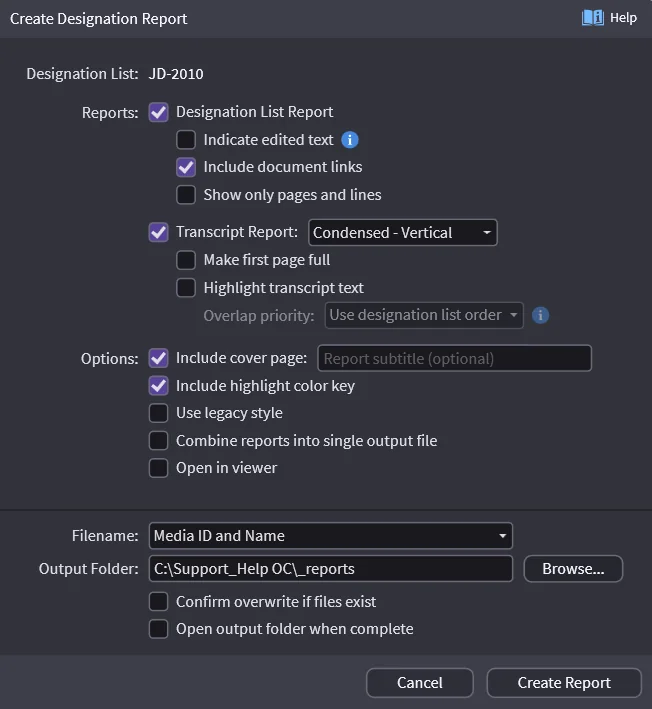
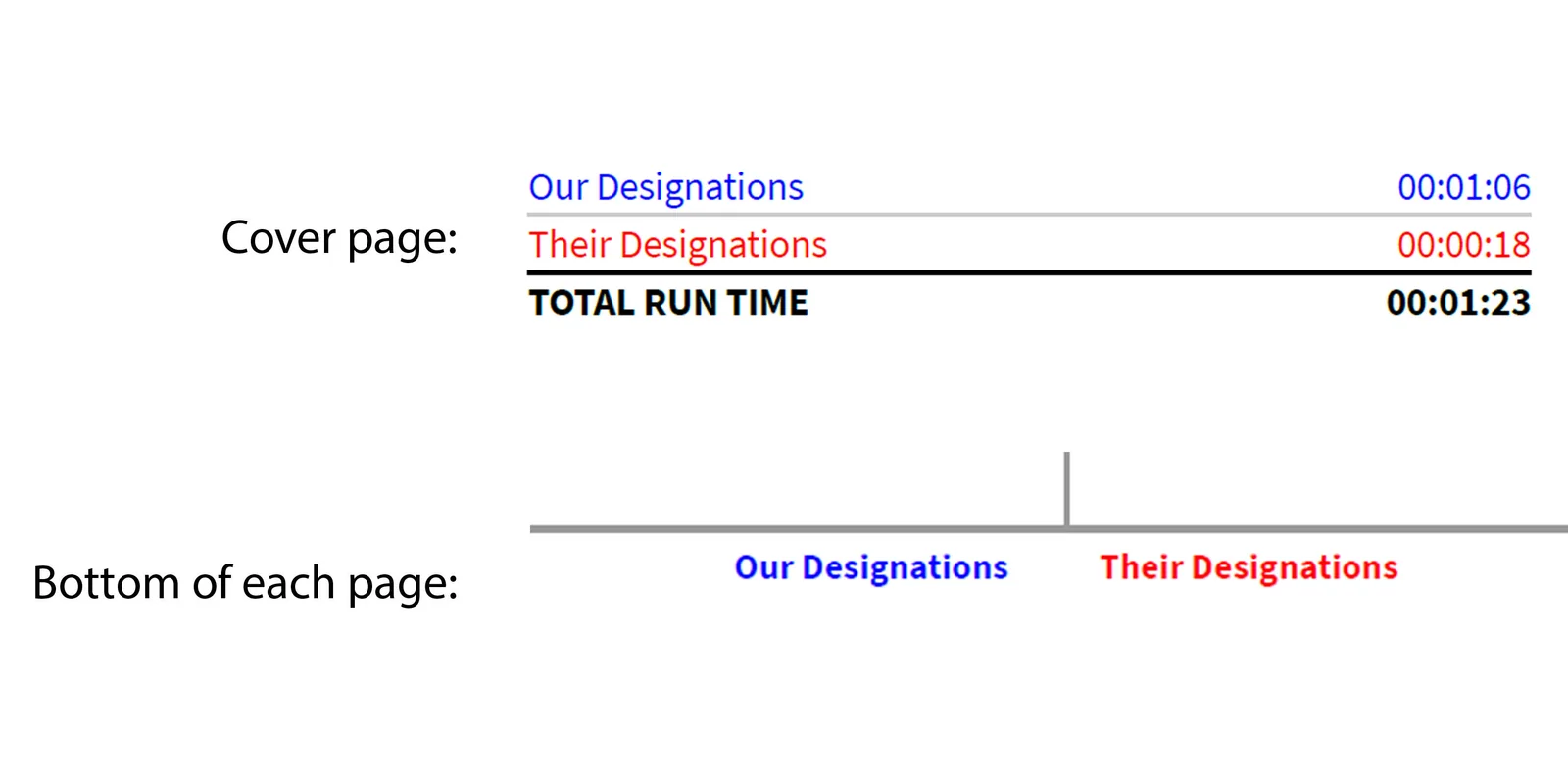
Designation List and Transcript Reports include a cover page with a highlighter key. The key can also be added to the bottom of each page. You can also add a subtitle to a report.
Creating Reports Without a Sync File
If you don’t need time totals, OnCue can create reports from a plain-text (ASCII .txt) transcript or a Microsoft Word (.docx) file, as described in Adding Non-Synchronized Transcripts.
designation report, print designations, report
Still stuck? Email support@oncuetech.com.