



Using the Sidebar to Build Work Product
Updated January 2, 2025
The Sidebar opens work product in its own pane.
The Sidebar exists so you can open a separate pane in OnCue and so you can drag items from your case, left to right, into your work product.
Opening the Sidebar
Three sections of the Media Bar hold work product you may want to open in its own pane: Designations, Media Scripts, and Notebooks.
These all have a Sidebar that lets you launch a separate pane.
In this example, the Closing media script is selected in the Media Bar, but you cannot drag items to it from other sections.
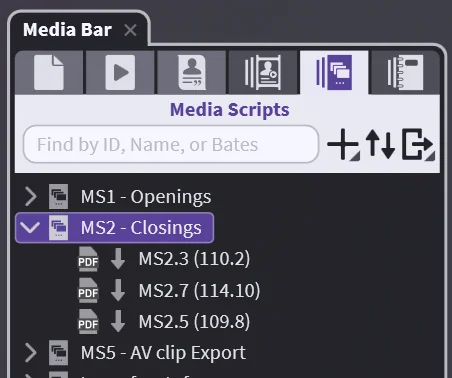
With the Media Script selected, however, clicking the Sidebar button lets you open the media script in its own pane on the right, or show all media scripts in a separate pane, allowing anything from the case to be dropped in.
When you are finished, close the pane.
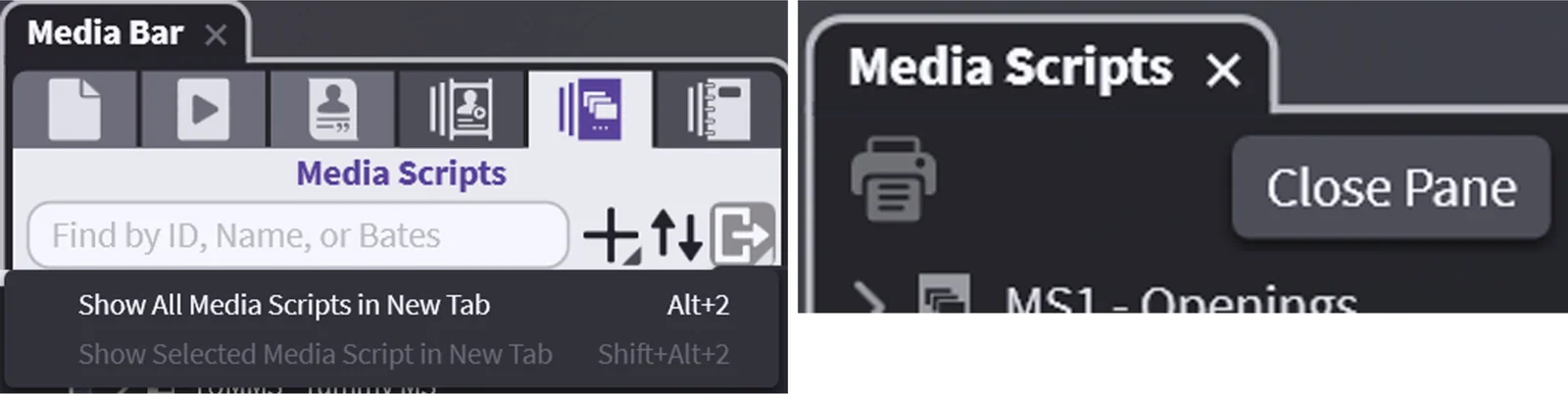
You can do this with any work product, including Designation Lists and individual Notebooks.
The point of the Sidebar is that whatever you are working on now becomes the primary focus of the program, and that focus can change in an instant.
You can also double-click a designation list, media script, or notebook to open it in a separate pane.
sidebar, build notebook, drag and drop, work product
Still stuck? Email support@oncuetech.com.