



Document Cleanup (Rotate & Deskew)
Updated July 27, 2025
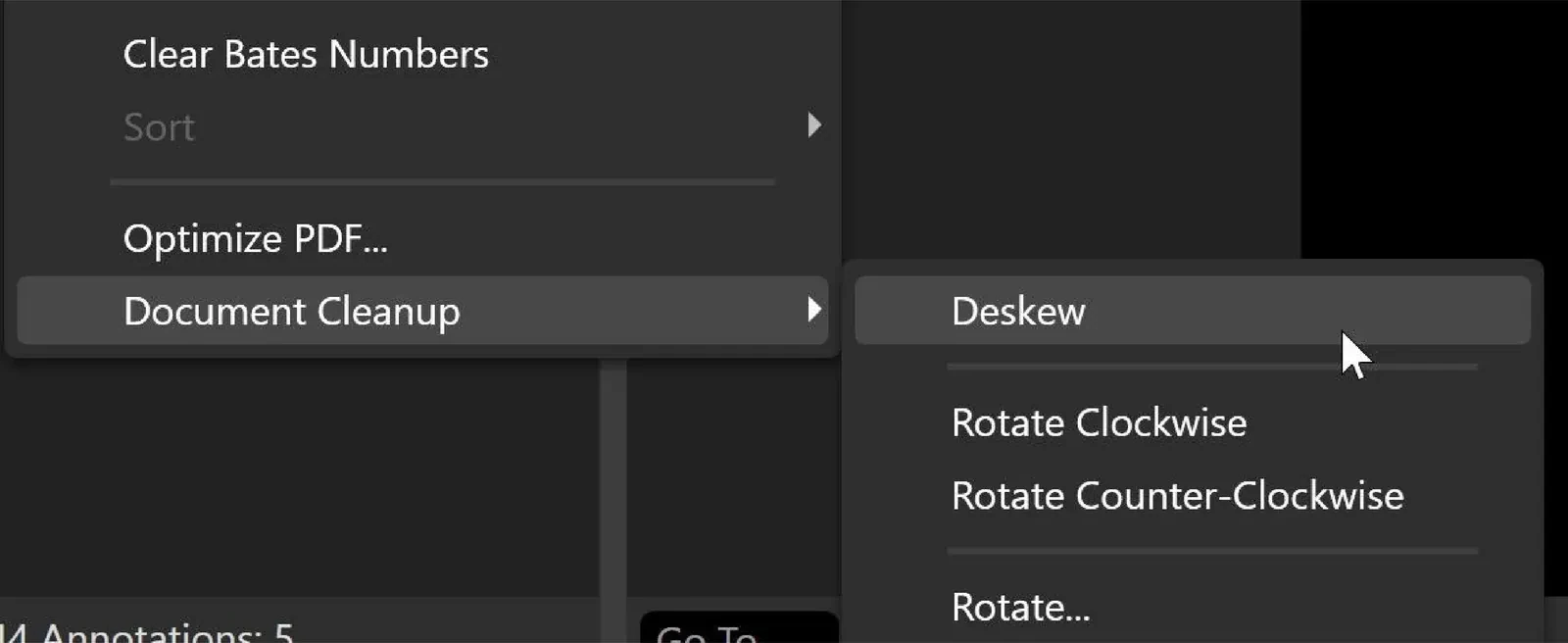
Document Cleanup deskews (nudges) and rotates document pages in batches. It is on the right-click menu when selecting a document or group of documents.
Note: Running an operation on several documents applies it to every page of those documents. Confirm your selection before you start.
How to Rotate
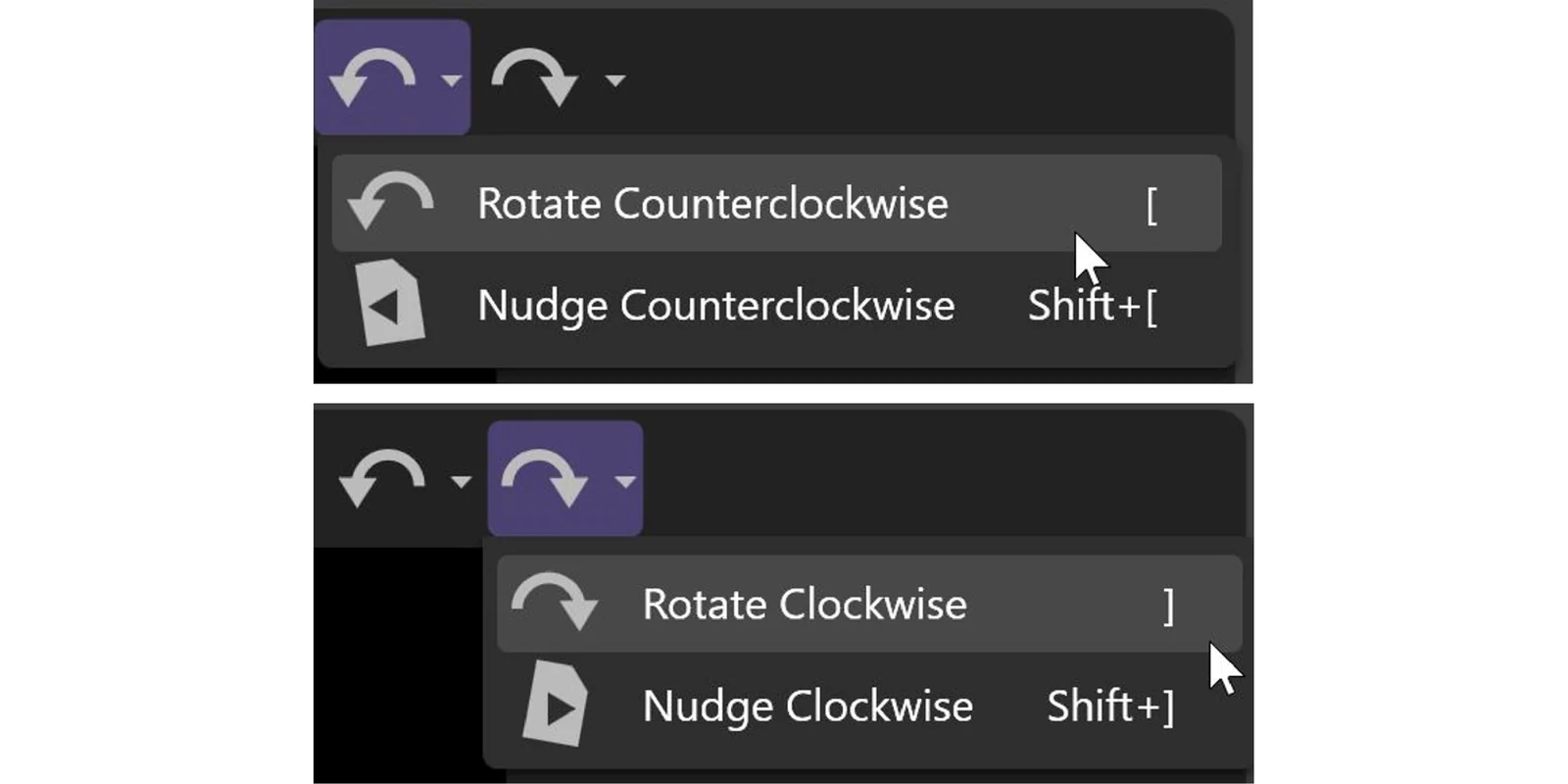
To rotate individual pages in the Viewer pane, use the Rotate Clockwise or Rotate Counterclockwise buttons on the toolbar, or press the hotkeys: [ for Rotate Counterclockwise and ] for Rotate Clockwise. These hotkeys also work in Presentation Mode.
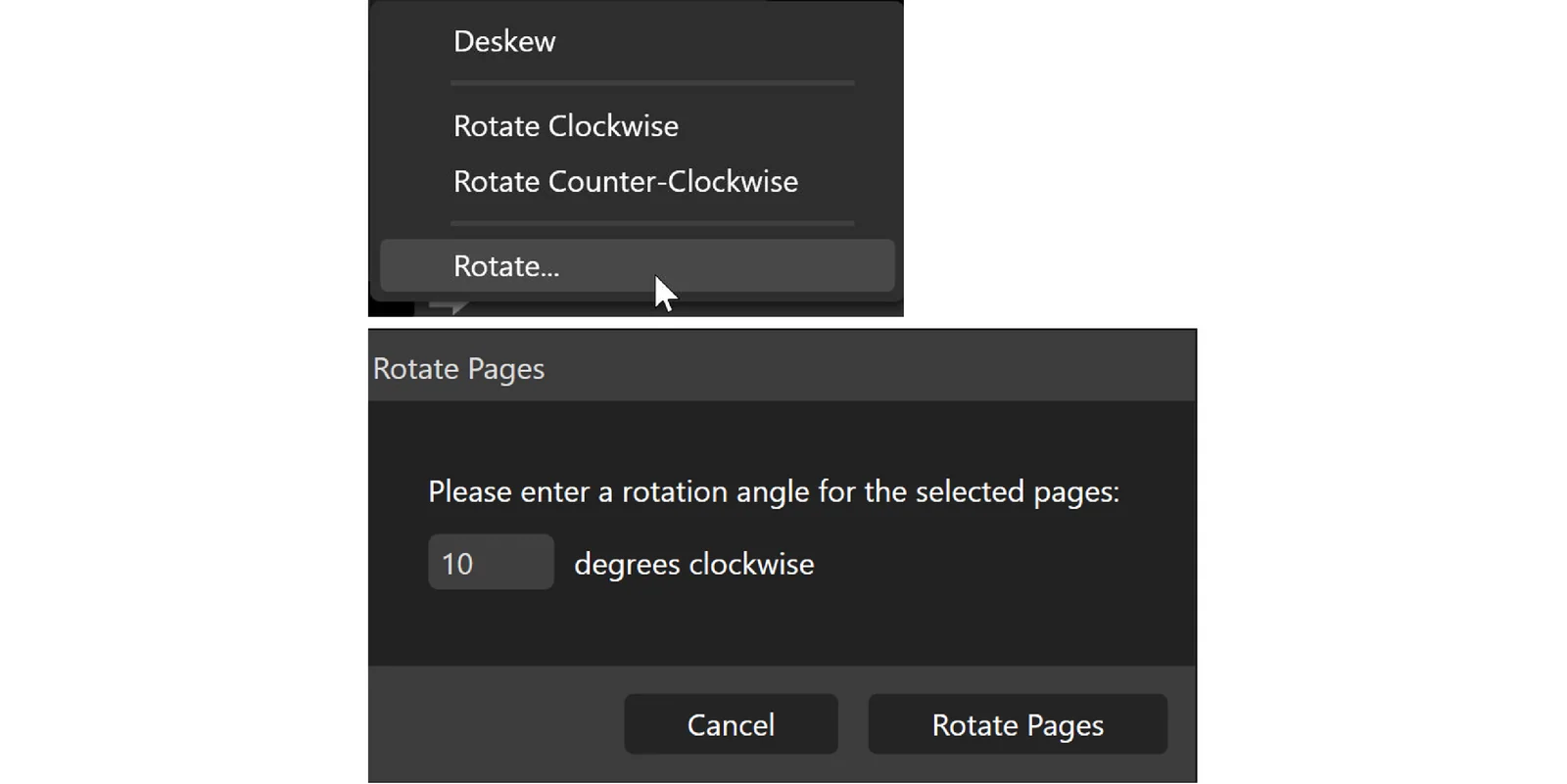
You can also set your rotation on your documents by degrees. For example, if all your documents are tilted 10 degrees counterclockwise, you can correct them all at once.
How to Deskew (Nudge)
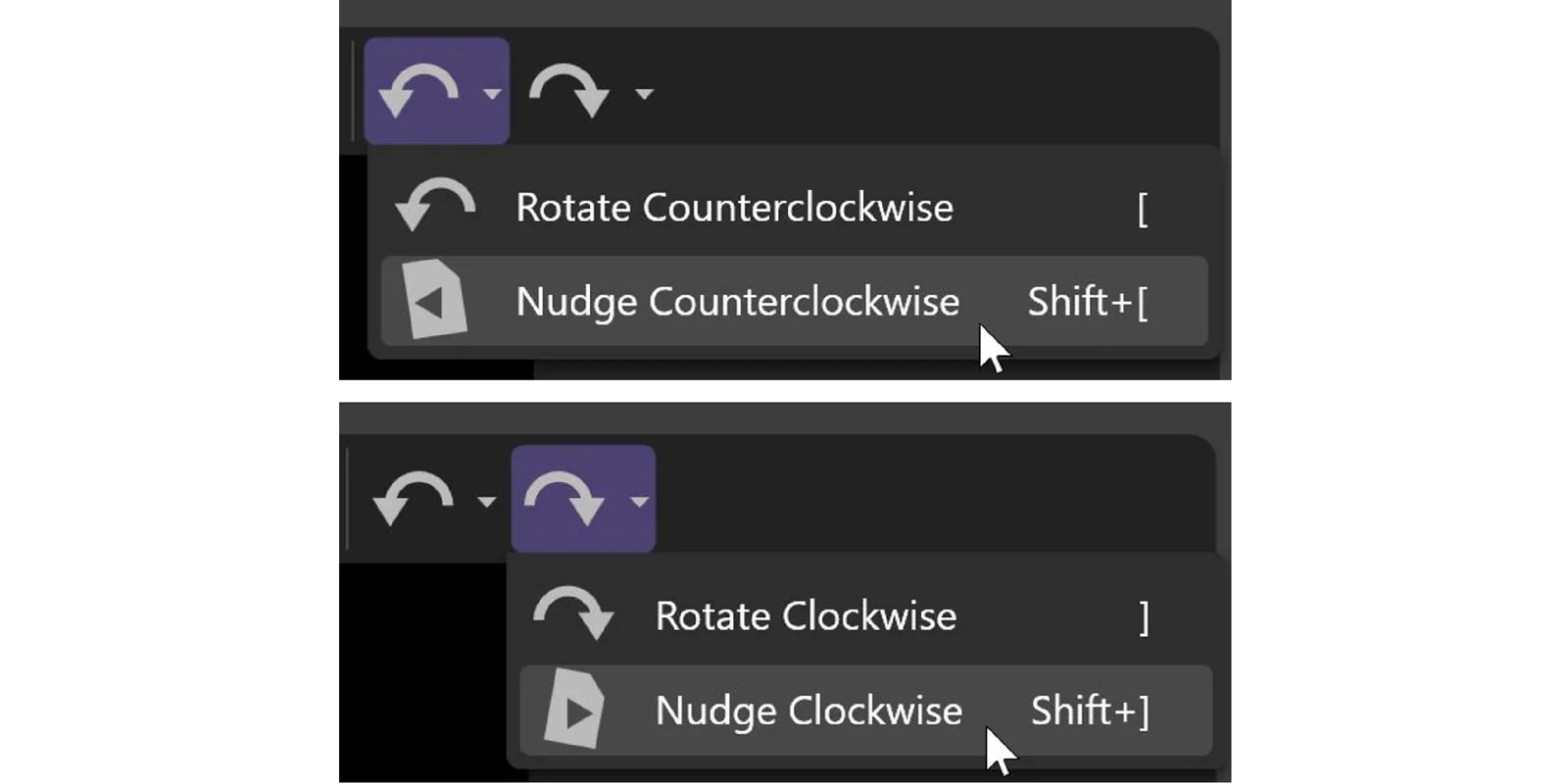
To manually deskew individual pages in the Viewer pane, use the nudge buttons on the toolbar to rotate in small increments. You can also use the hotkeys Shift + [ and Shift + ]. These hotkeys also work in Presentation Mode.
rotate, deskew, nudge, straighten, crooked pages, sideways pages, rotate hotkeys
Still stuck? Email support@oncuetech.com.