



preferences/audio-and-videoPreferencespreferences5preferences, audio settings, video settings, playback settings2026-06-17/articles/preferences-audio-video
Audio & Video
Updated June 17, 2026
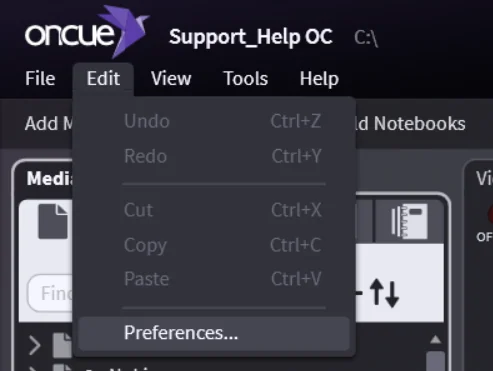
To open Preferences, go to Edit > Preferences.
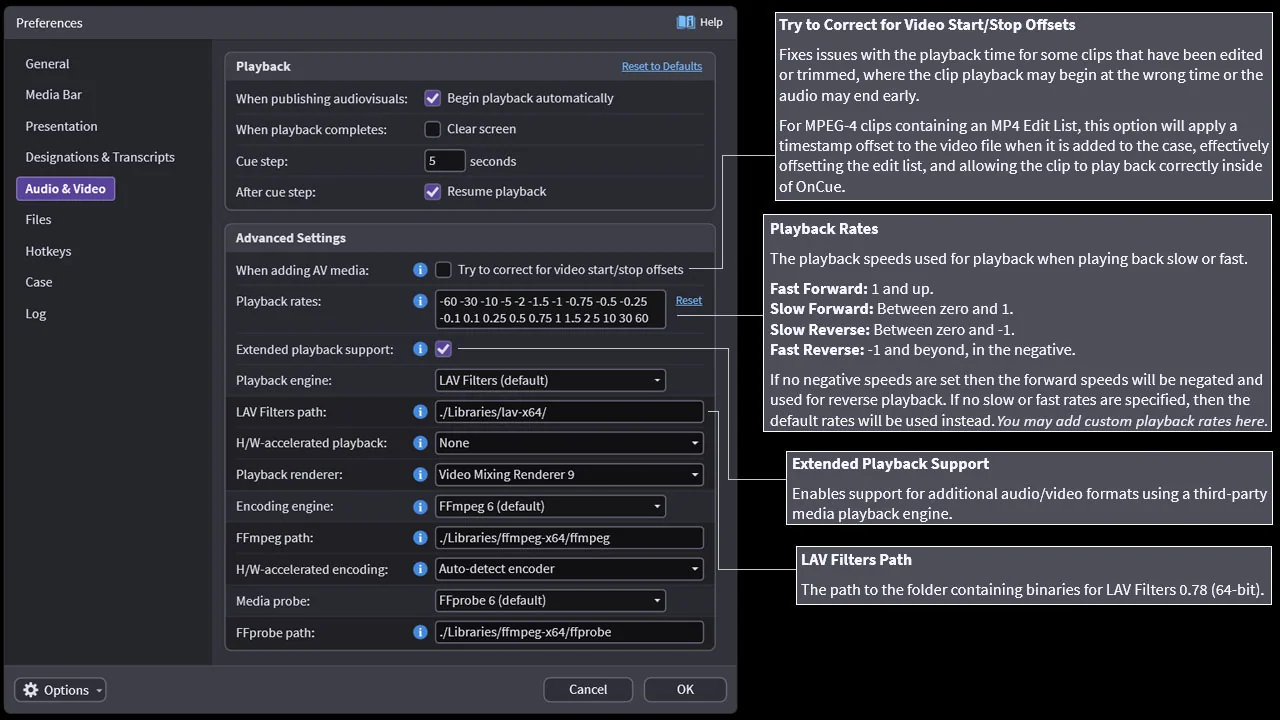
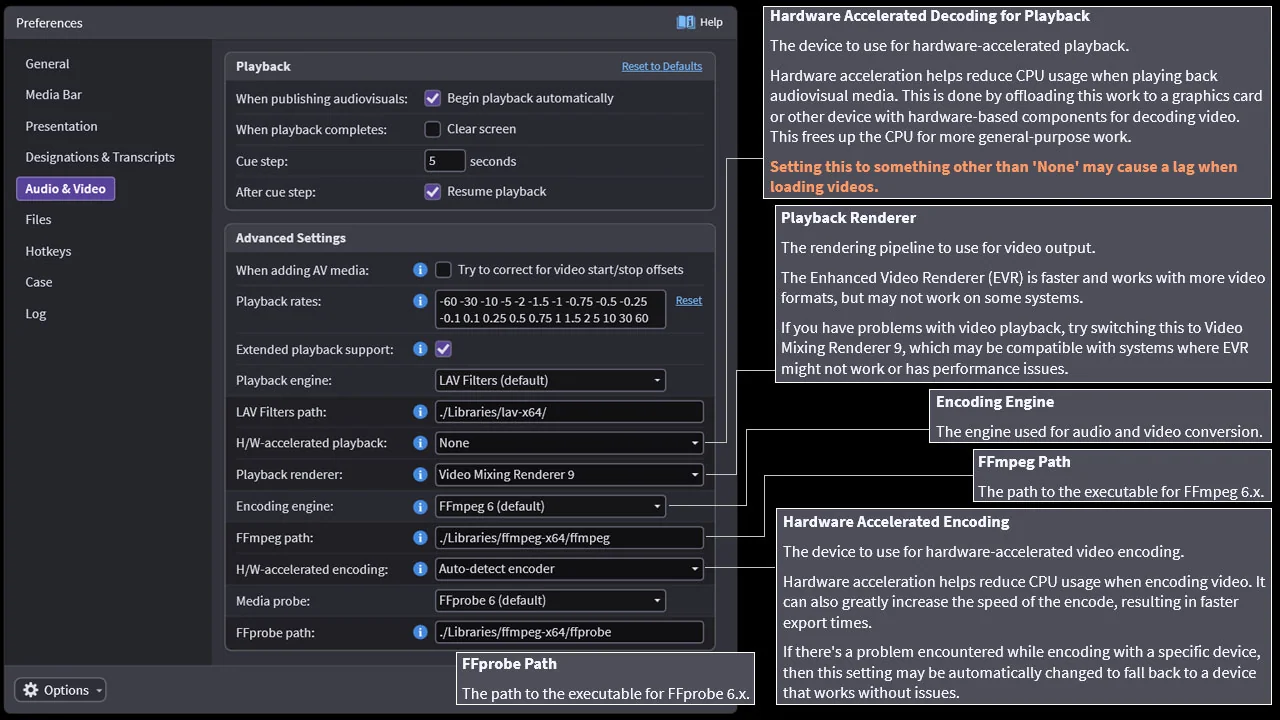
The screenshots below show the Audio & Video preferences.
Audio & Video
preferences, audio settings, video settings, playback settings
Still stuck? Email support@oncuetech.com.