



Overlapping or Duplicate Designation Removal
Updated July 23, 2025
Designation lists you receive often contain repeats, duplicates, or testimony designated by both parties. OnCue can remove duplicate or overlapping designations from a designation list. You can do this either after the list is created or as you are adding designations through the Designation Wizard—the interface is the same for both.
Removing Overlapping Lines
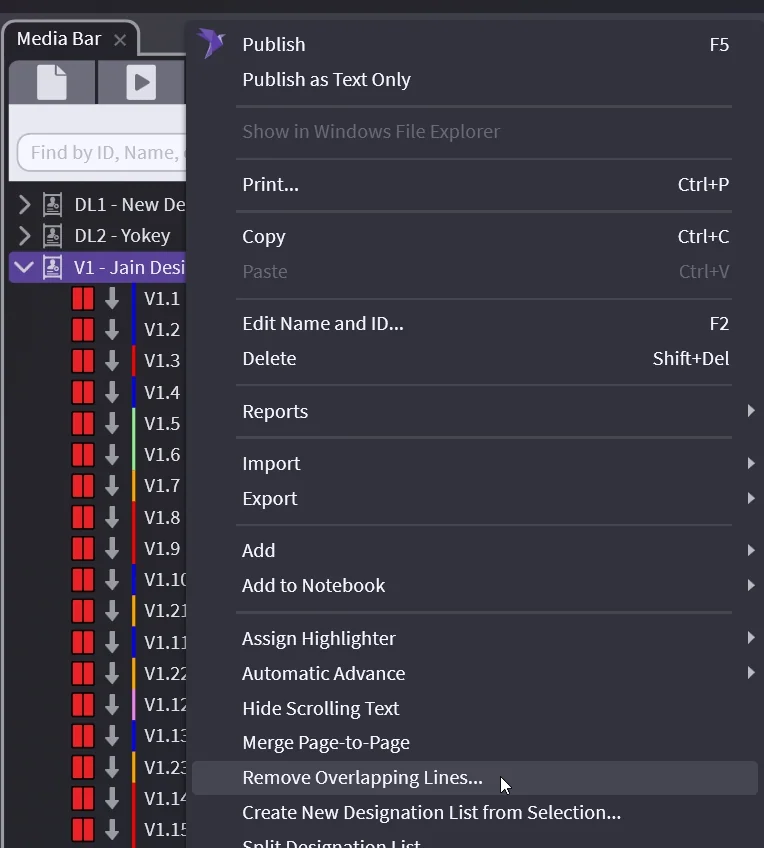
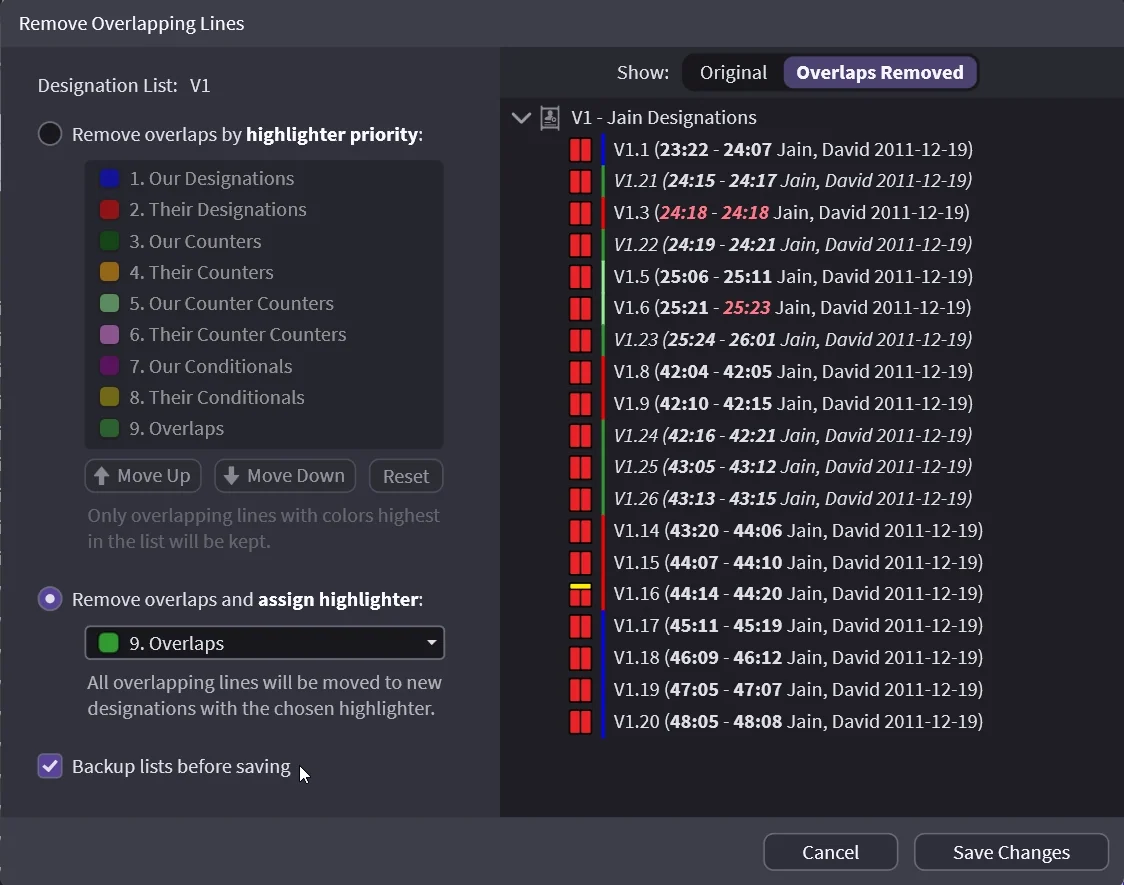
Right-click on the existing designation list that you want to alter and select Remove Overlapping Lines….
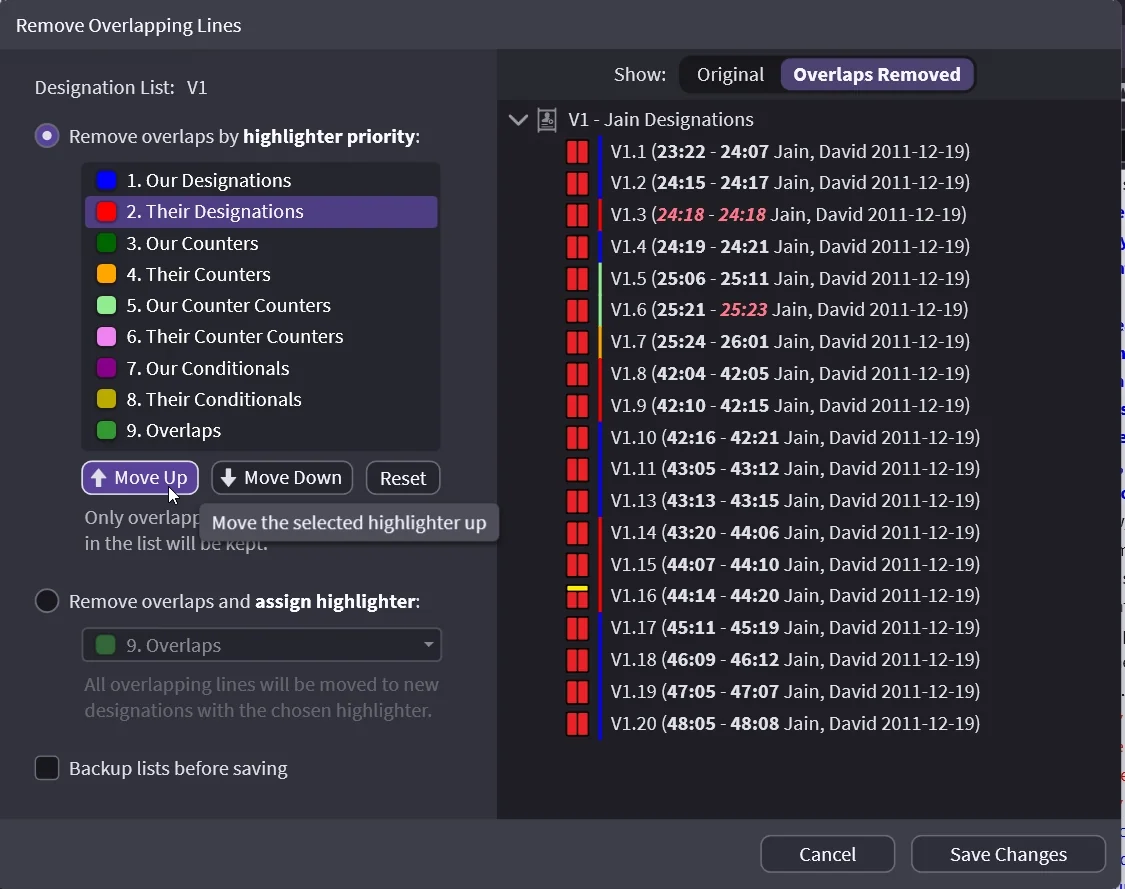
You can set which Transcript Highlighter is the higher priority by selecting a number and moving it up and down in the list. This keeps as much fine-tuning in place as possible.
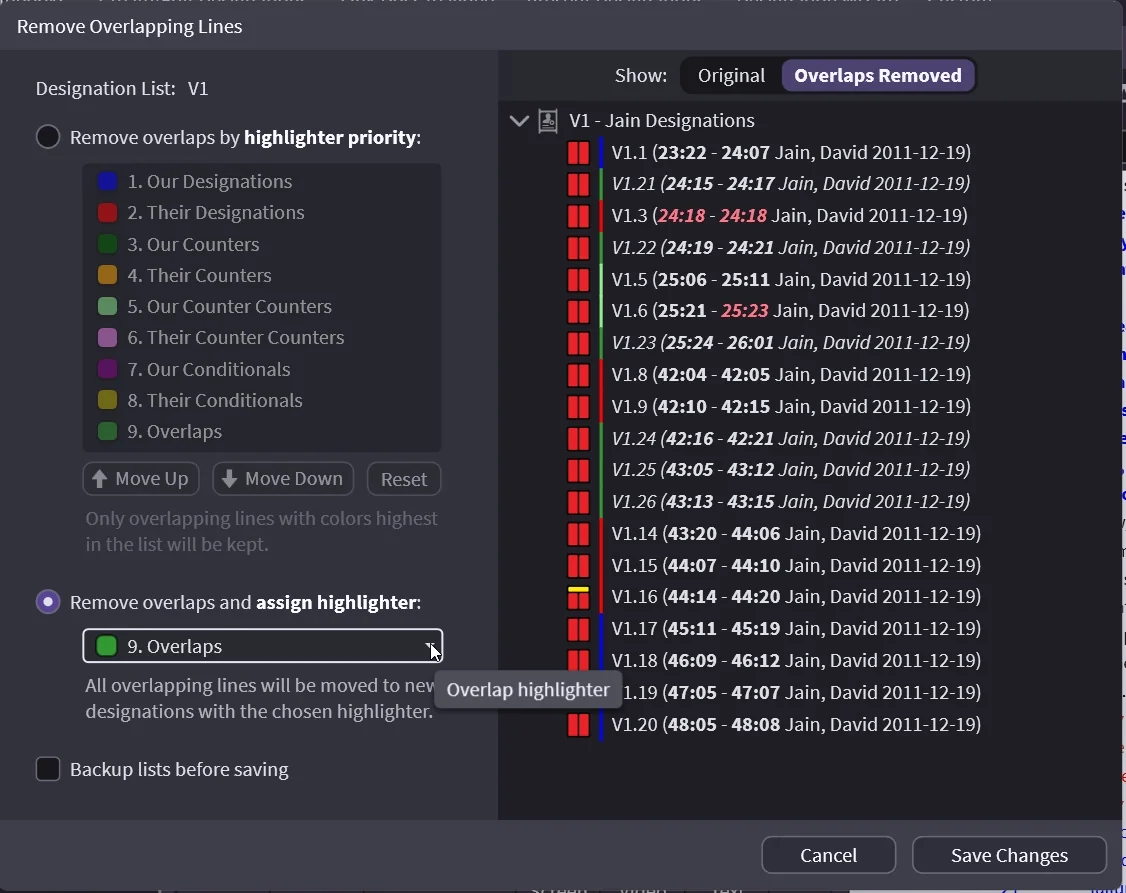
Alternatively,
You can choose a highlighter color to assign to the merged overlaps and duplicates. This will remove fine-tuning from duplicates and overlaps because there is no priority for fine-tuning.
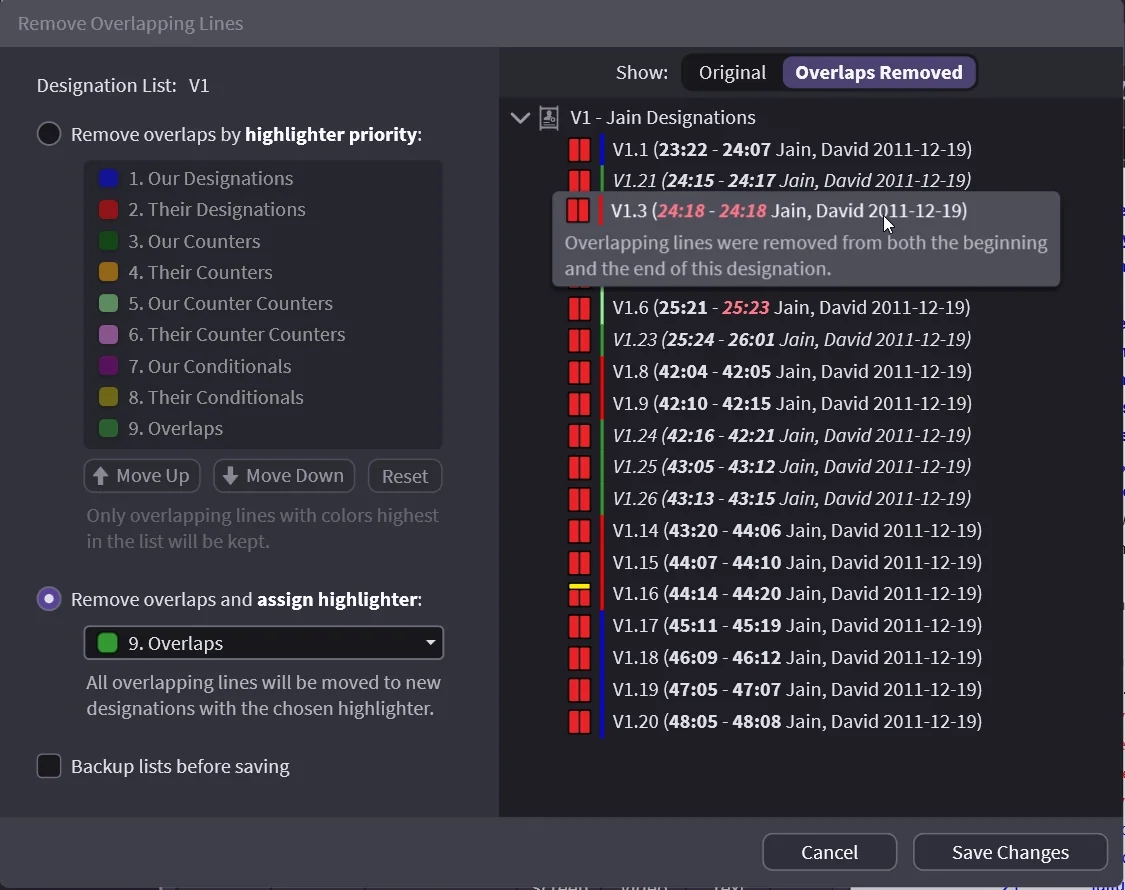
Hover over a red designation in the preview to see why it changed. OnCue does not mark duplicates; it removes them and keeps one designation.
To compare with the original list before saving, select Show: Original at the top right.
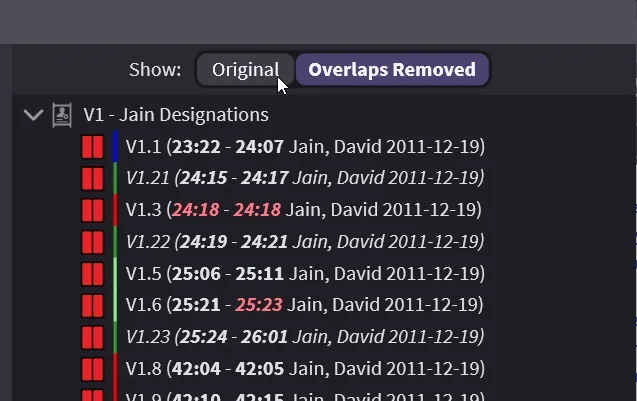
You can also create a backup before saving.
You can find Remove Overlapping Lines… in the Designation Wizard under Actions.

Note: Best practice is to sort by page and lines before removing the overlap on an existing list.
overlapping designations, duplicates, remove duplicates
Still stuck? Email support@oncuetech.com.