



Importing Names
Updated August 8, 2025
You can import Names into an existing database from a text file.
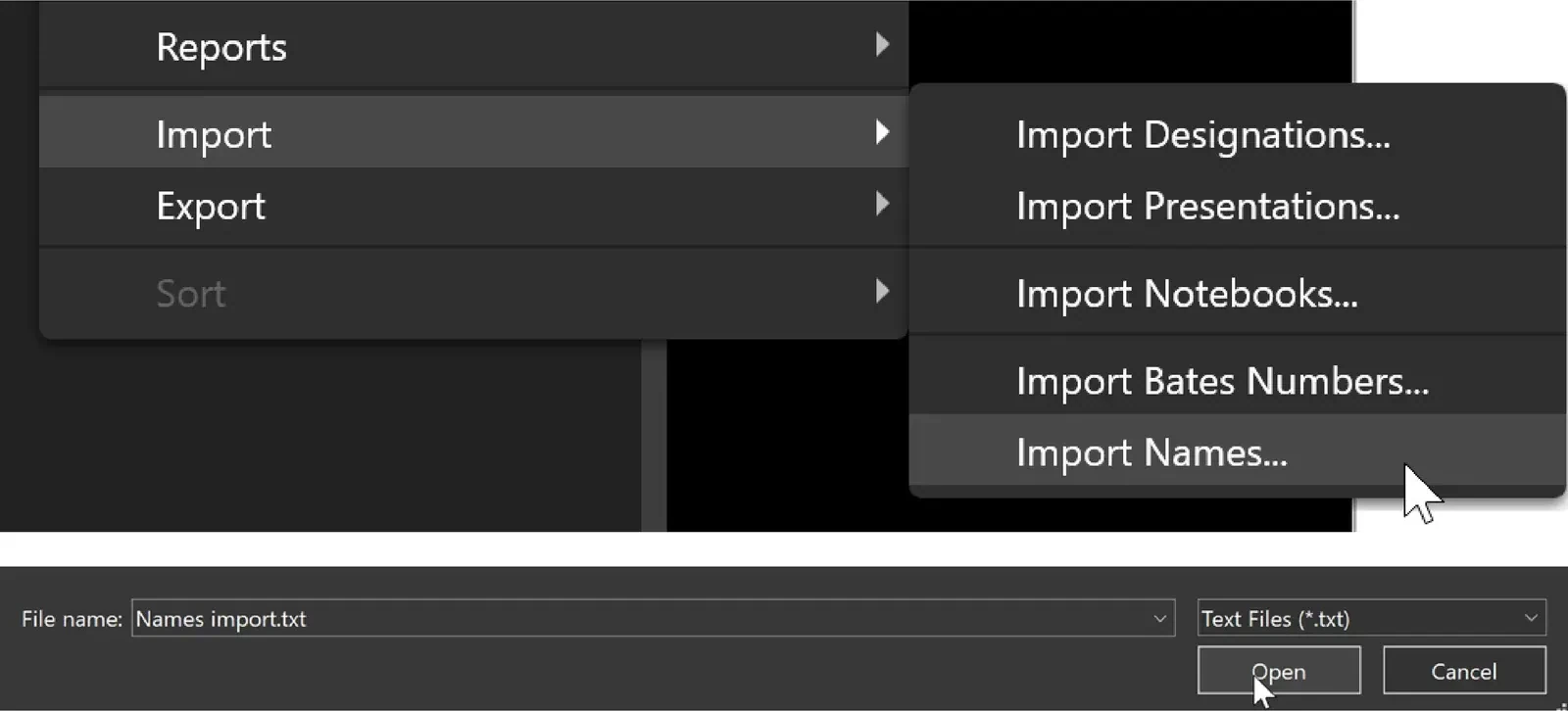
Select File > Import > Import Names, or right-click in the Documents tab and select Import > Import Names.
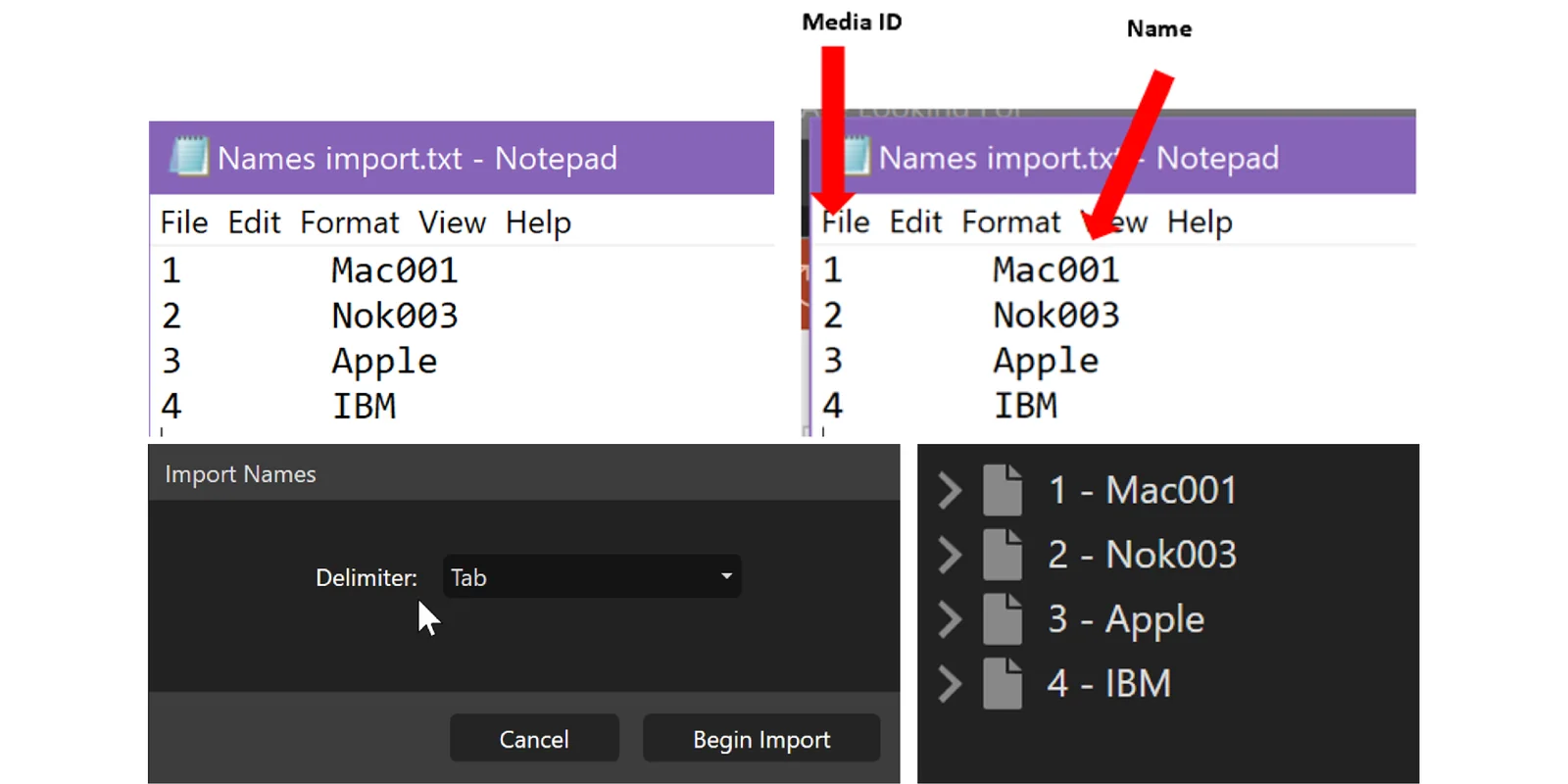
Names can be imported only from a text file, using the delimiter of your choice. This example uses a tab-delimited text file. The Media ID must always be the first column, followed by the Name.
How you prepare the file depends on whether the Names go on documents or on pages.
Names on Main Document
Here is how to format the text file to put Names on a main (parent) document:
Names on Document Pages
Here is how to put Names on specific pages of your documents (children).

A page can have both a Name and a Bates number. To import both, use three columns: Media ID, Name, and Bates.

OnCue cannot delete imported Names in bulk; to remove them, edit each one individually with F2. Alternatively, use Delete > Delete from Database and then re-adding the document(s).
import names, document names, Media ID, tab-delimited text file, rename
Still stuck? Email support@oncuetech.com.