



designations/sorting-designation-listsDesignationsdesignations12sort, page line order, reorder designations2025-07-23/articles/sorting-designation-lists
Sorting Designation Lists
Updated July 23, 2025
There are numerous ways to sort your designation lists.
First, select the designation list(s) you want to sort, right-click, and point to Sort to see the available options.
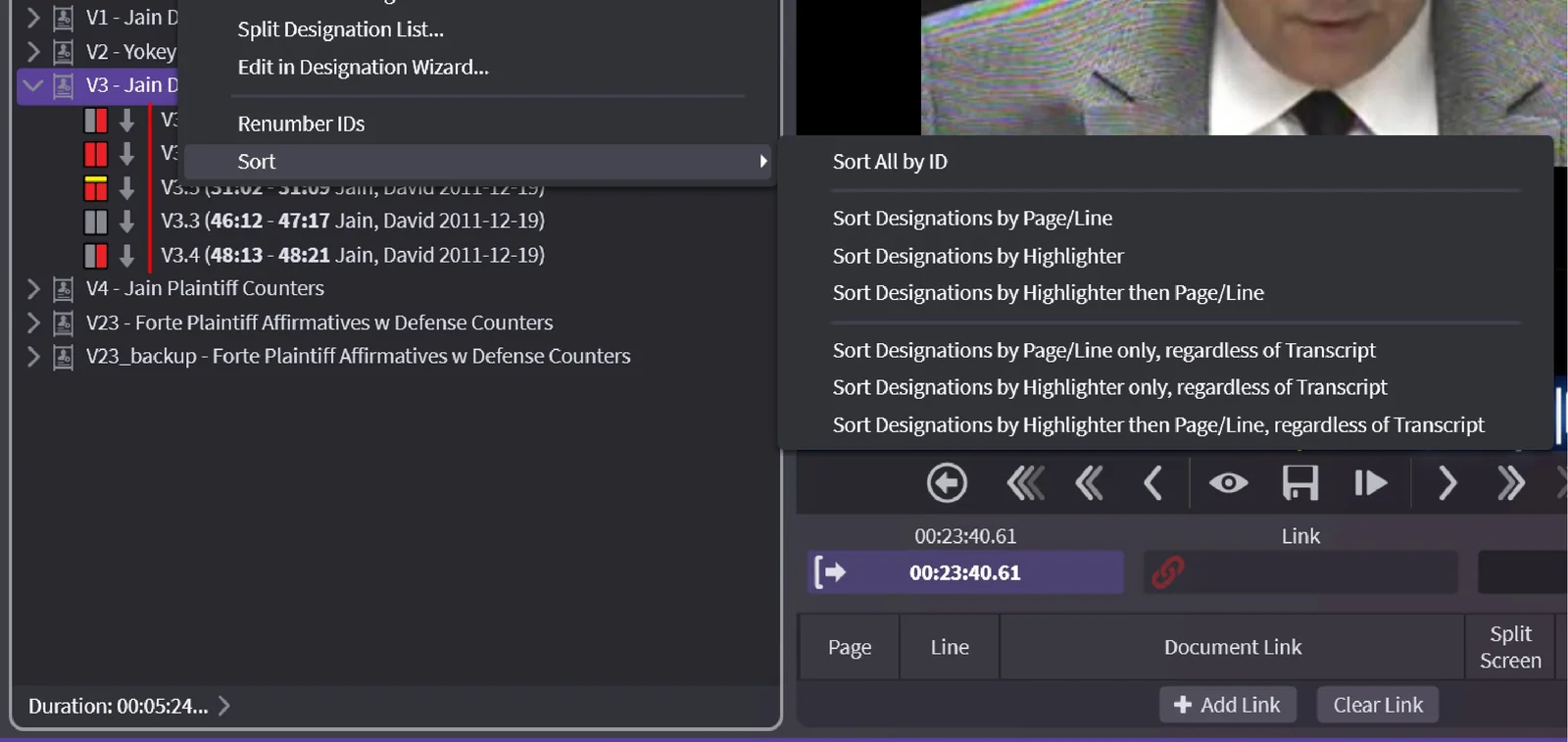
The options are:
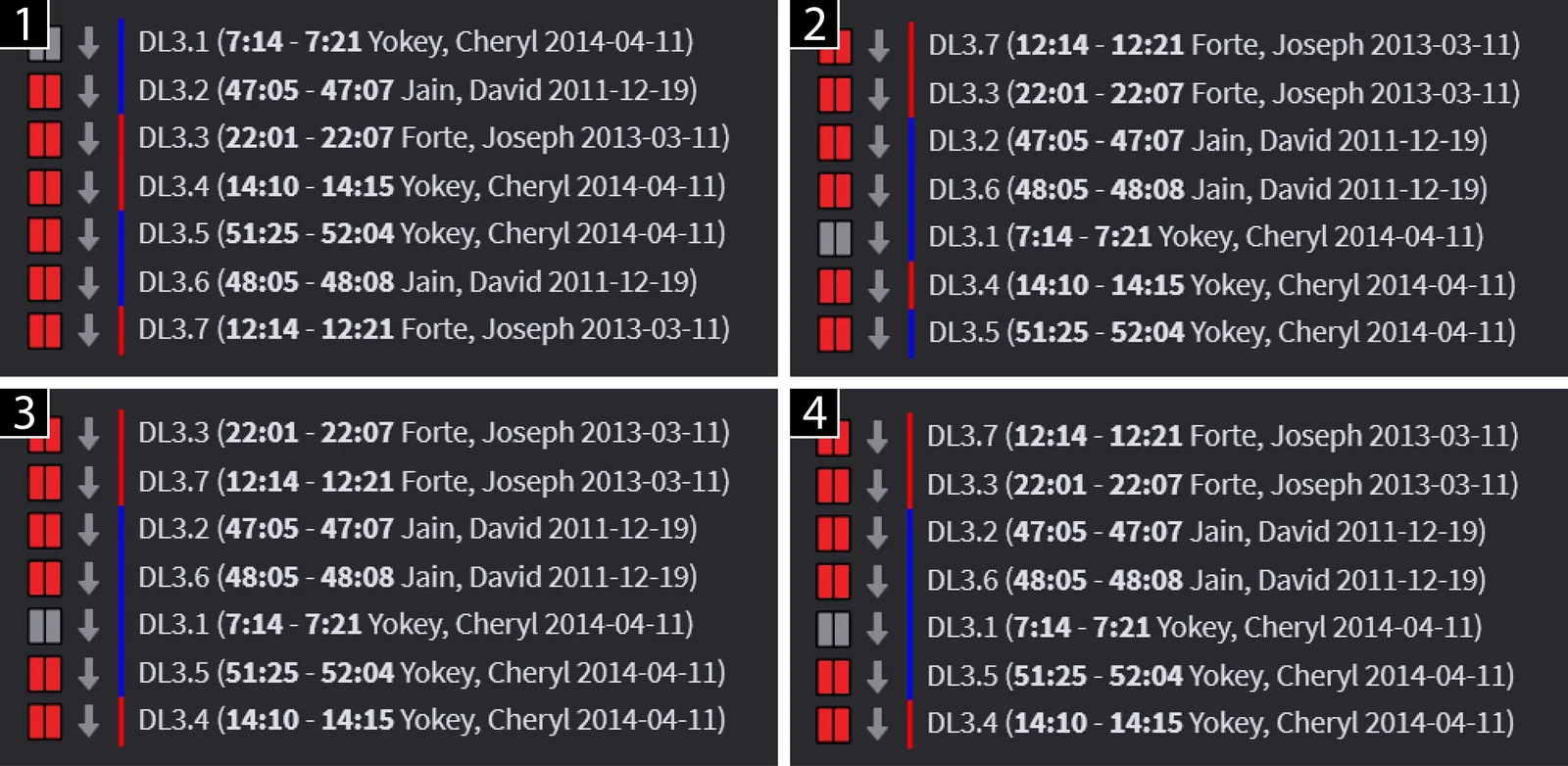
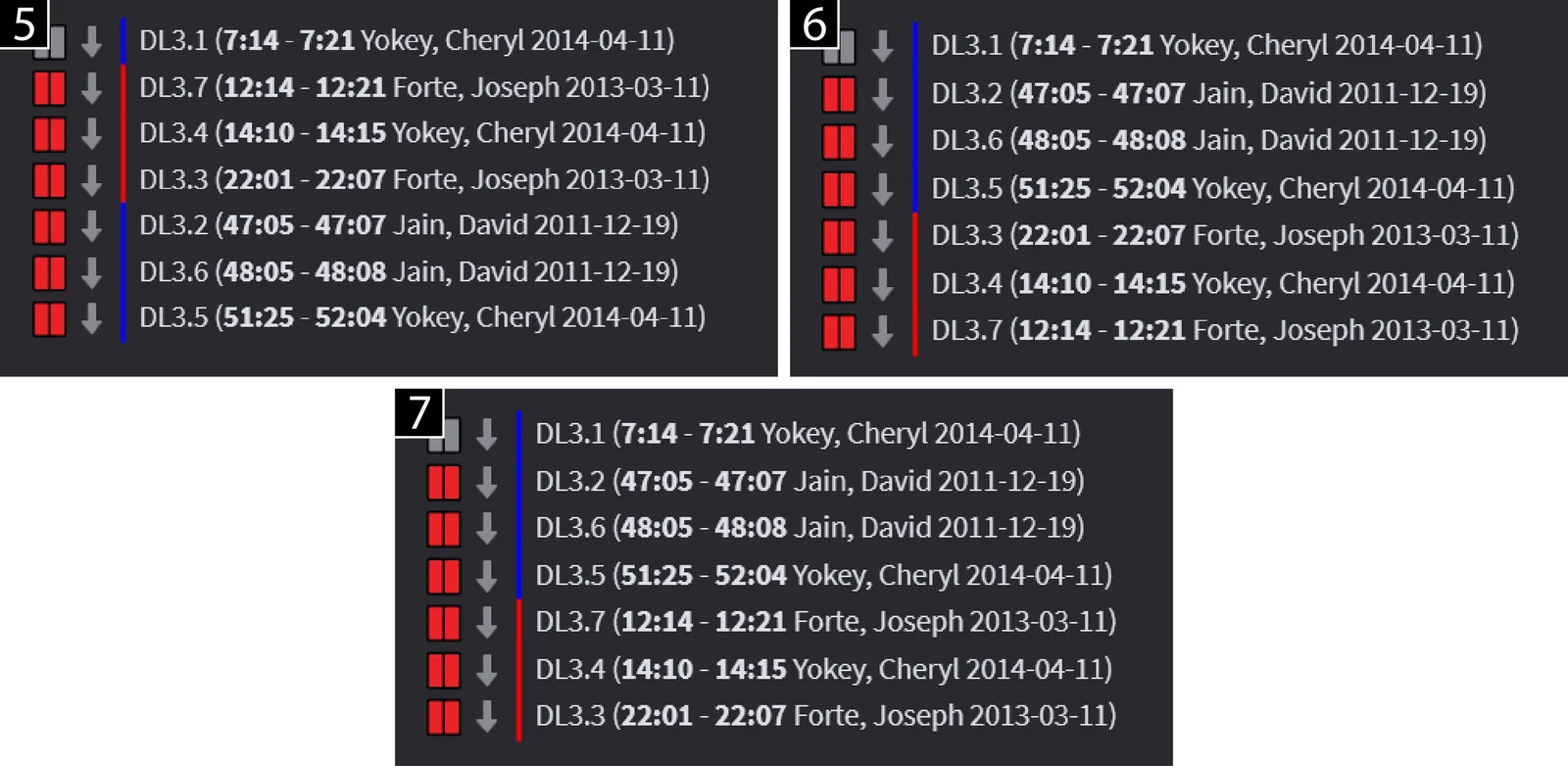
- All by ID – Sorts your list in numerical order based on the IDs of the clips.
- Page/Line – Sorts your list by page/line. If you have more than one transcript in your list it first sorts by transcript alphabetically and then by page/line.
- Highlighter – Sorts your list by highlighter in numerical order. If you have more than one transcript in your list it first sorts by transcript alphabetically and then by highlighter.
- Highlighter then Page/Line – Sorts your list by highlighter first and then by page/line. If you have more than one transcript in your list it first sorts by transcript alphabetically, then by highlighter, then by page/line.
- Page/Line only, regardless of Transcript – Sorts your list by page/line regardless of how many different transcripts are present.
- Highlighter only, regardless of Transcript – Sorts your list by highlighter, regardless of how many different transcripts are present.
- Highlighter then Page/Line, regardless of Transcript – Sorts your list first by highlighter and then by page/line, regardless of how many different transcripts are present.
sort, page line order, reorder designations
Still stuck? Email support@oncuetech.com.