



Presenting Impeachment Designations on the Fly
Updated February 4, 2026
You think you know what a witness is going to say but the witness departs from their deposition testimony on a point you have not designated in advance. What can you do?
OnCue can instantly present any selection of synchronized transcript testimony, either by video or by text only.
On-the-Fly Impeachment
Open the Transcript Viewer and choose a transcript from the dropdown, or select a transcript in the Transcript tab of the Media Bar.
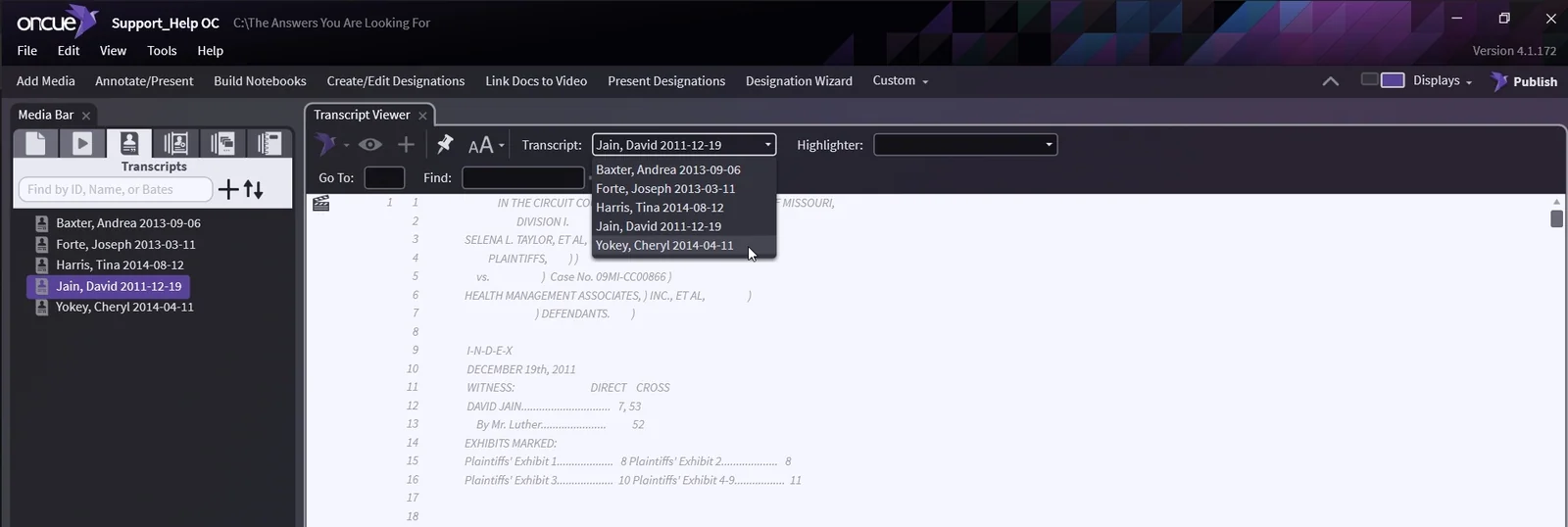
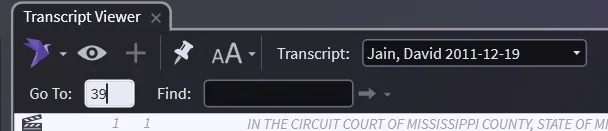
Use the Go To field or Find to locate the testimony.
Select the testimony you want to present.
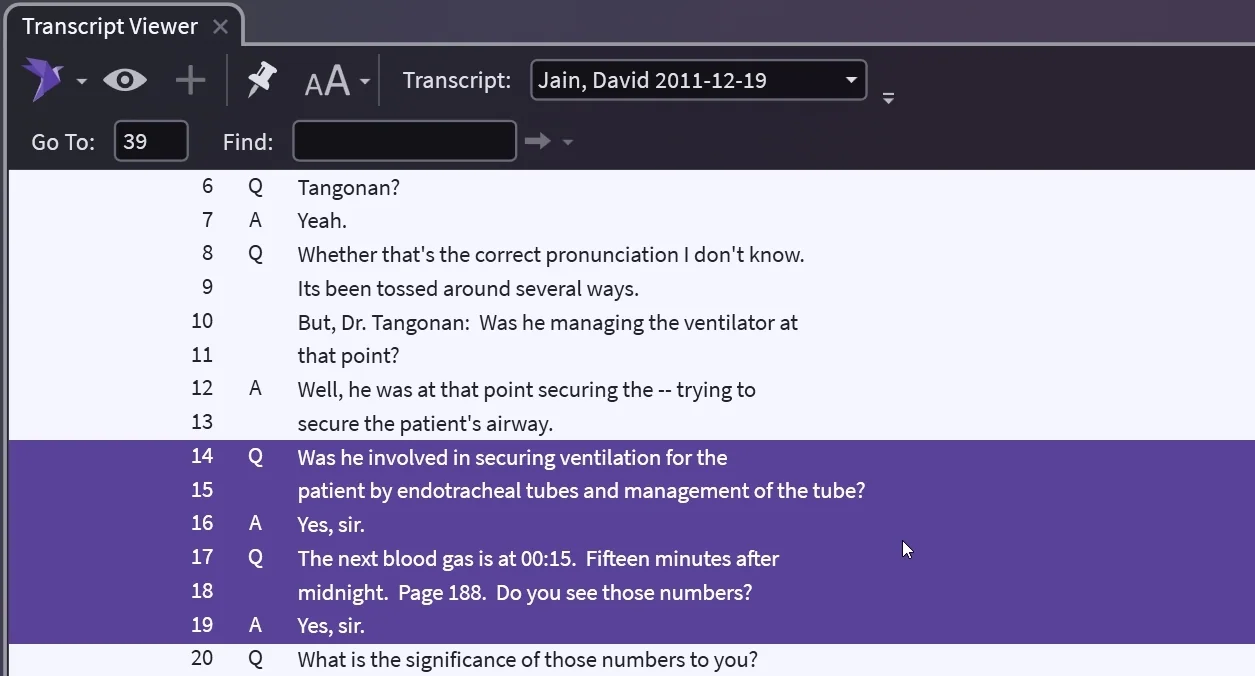
 To send the video immediately, press F5 or click the bird icon.
Note: Remember that the video is “untuned” and may not start or end where you expect.
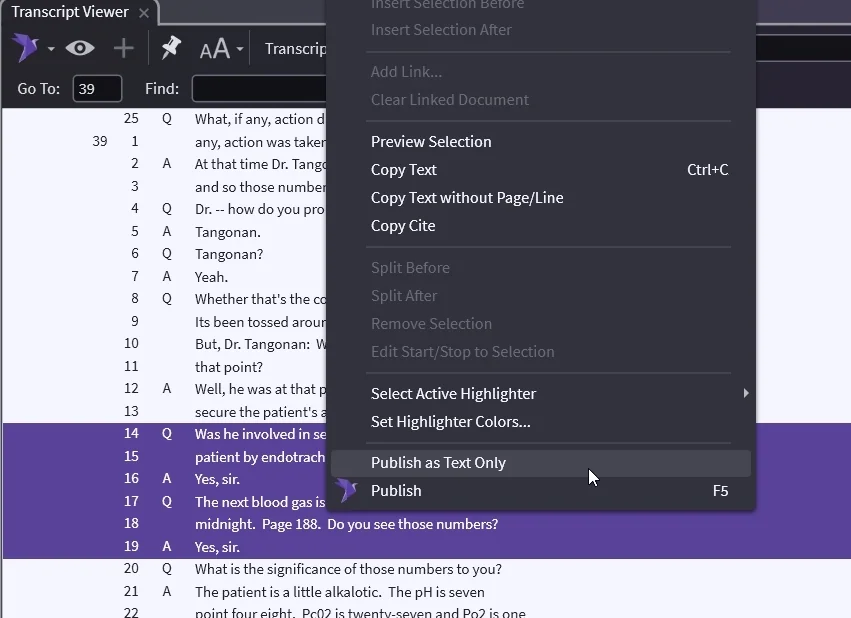
To send text only, select the text, right-click, and choose Publish as Text Only or click the arrow next to the bird icon and choose Publish as Text Only.
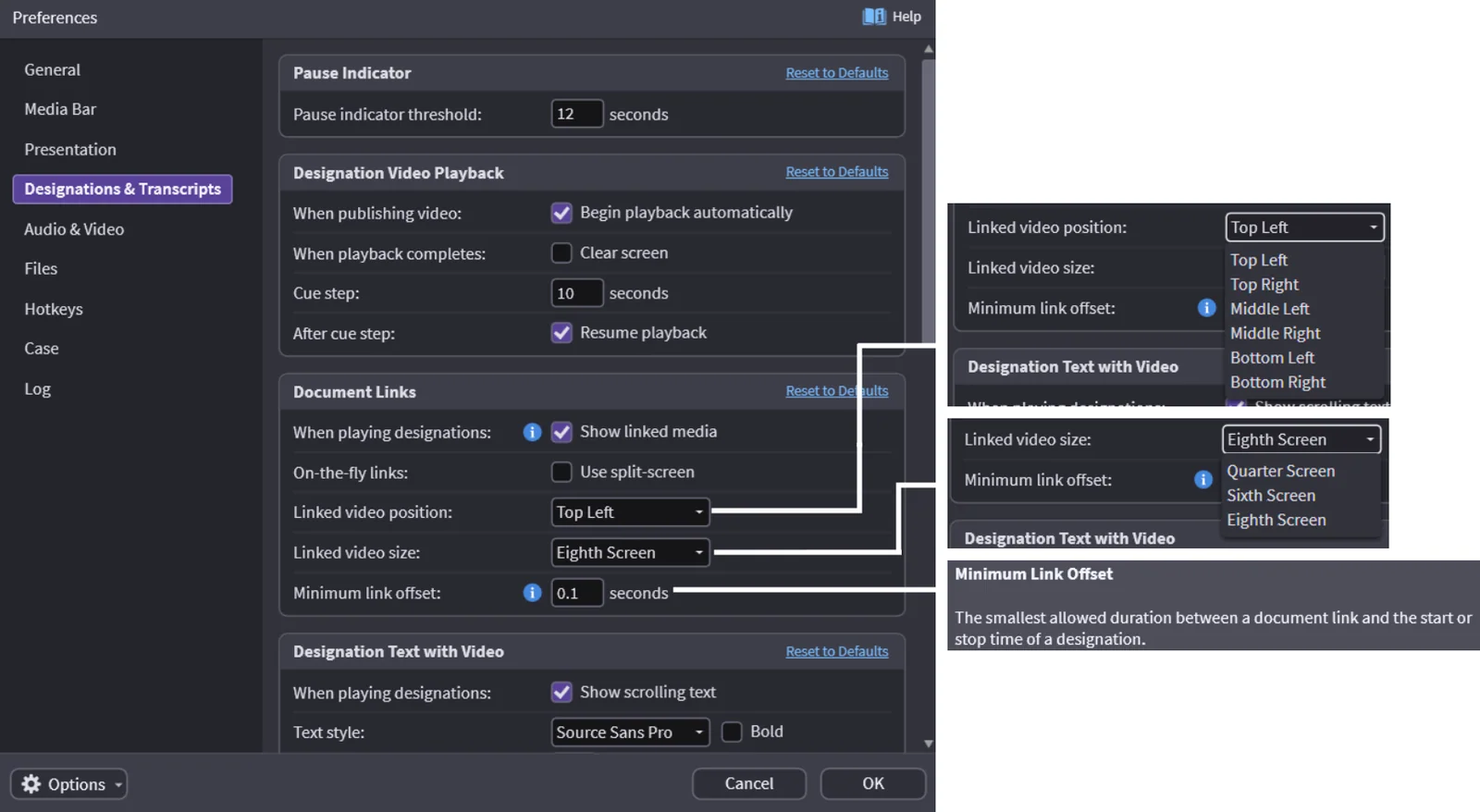
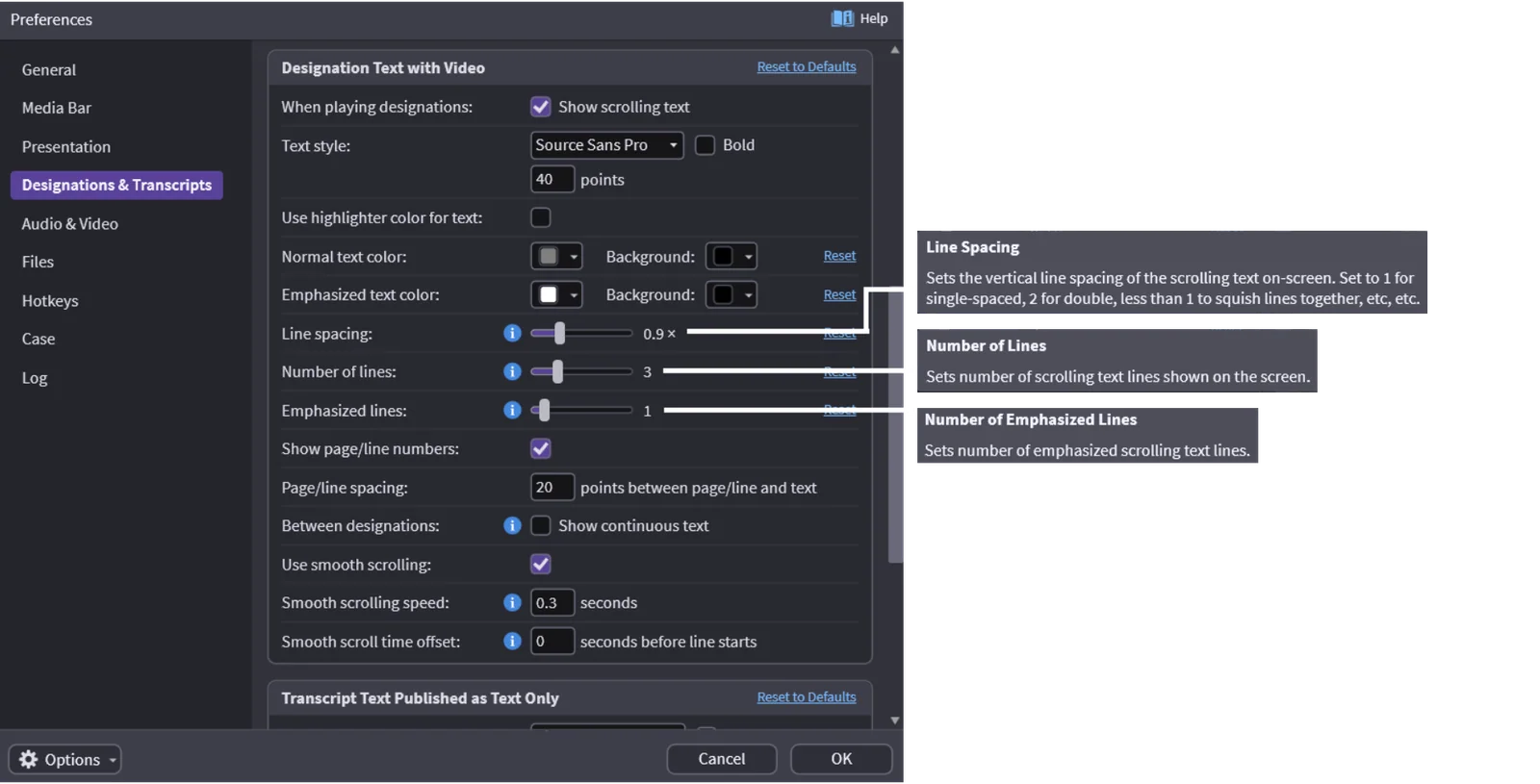
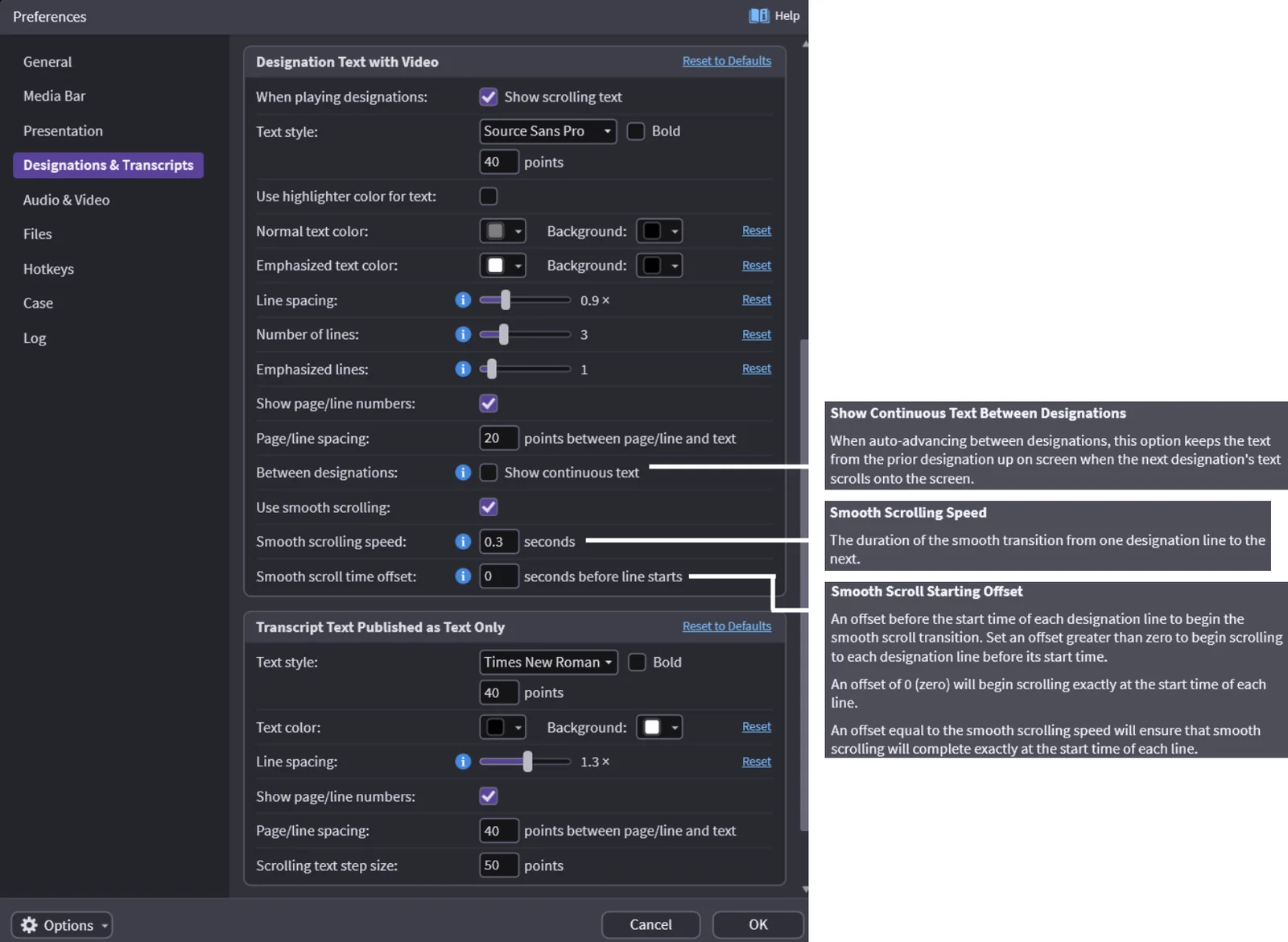
You can change how text is presented in both scrolling on the video and the text-only form by going to Edit > Preferences > Designations & Transcripts.
impeachment, on-the-fly, impeach witness, prior testimony
Still stuck? Email support@oncuetech.com.